
Bulk Insert API in Zoho Creator
Here is our approach for inserting a large number of records into Zoho Creator using the Bulk Insert API in a simple way.
Even a non-technical person can easily set it up in just a few steps.
Approach
We can perform a bulk insert of records in Zoho Creator using the following steps to handle large datasets efficiently without hitting request limits.
1. Setting up Bulk Insert API in Zoho Creator
1.1 Create a form in your Zoho Creator application with the required fields for the records you want to insert. Identify the application link name, form link name, and field link names.
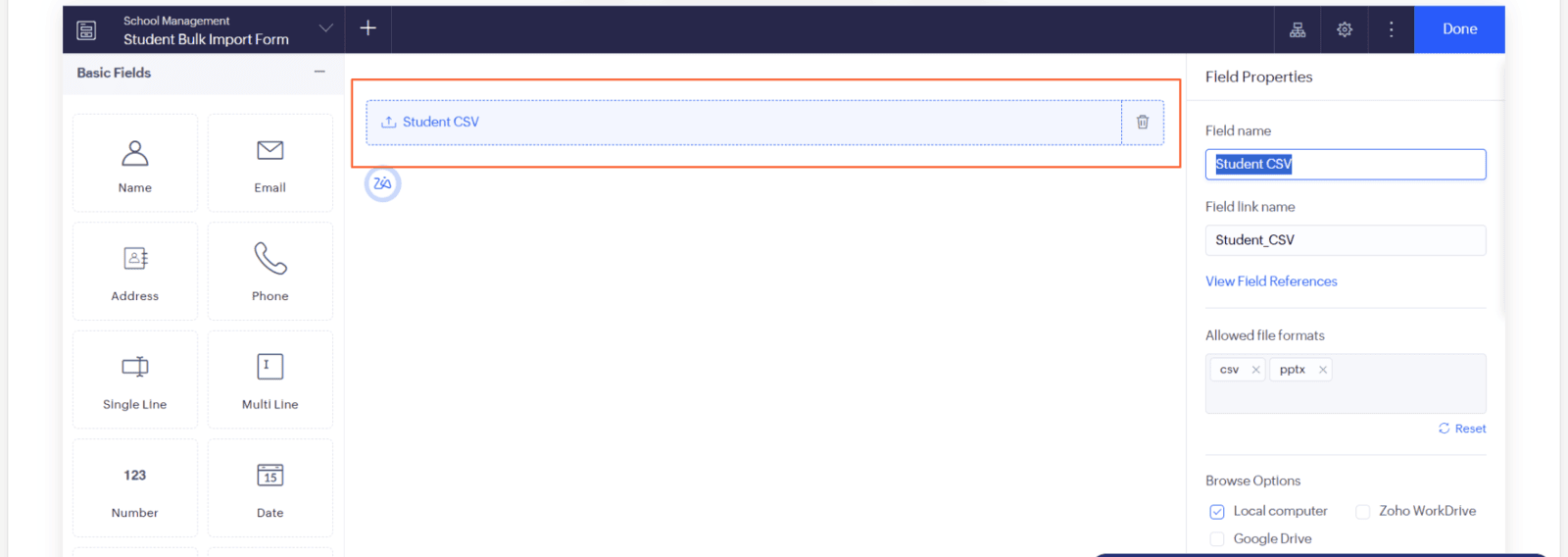
1.2 Go to workflows and select your form to configure the bulk import process.
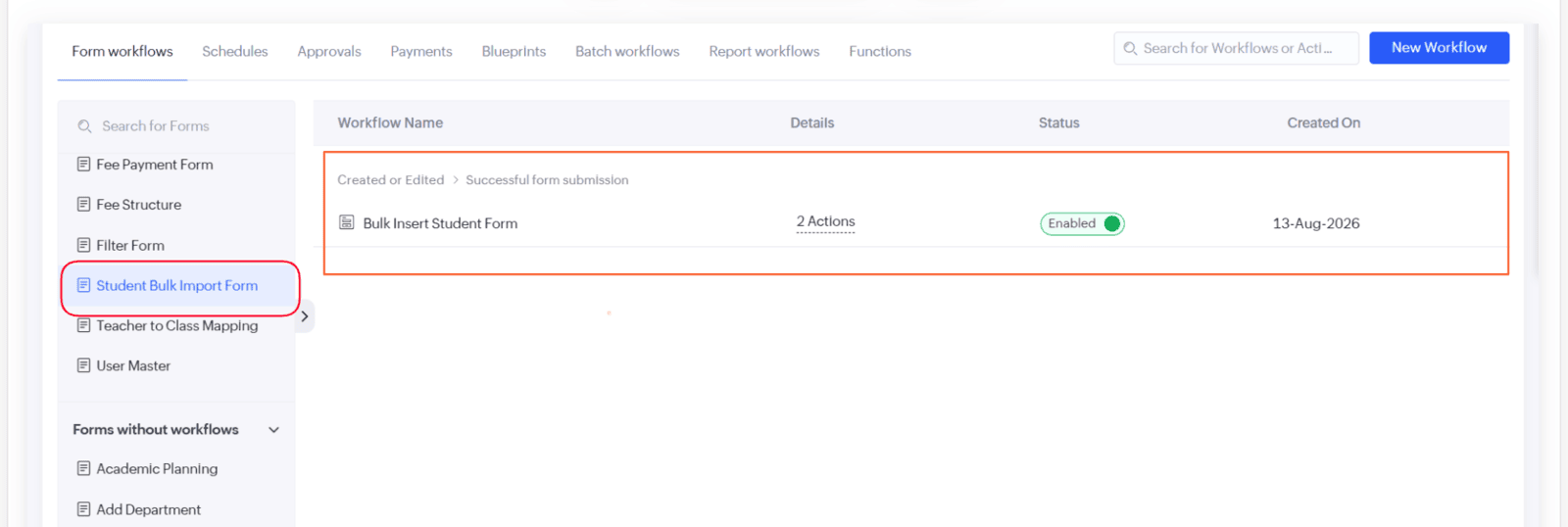
1.3 Configure the Deluge script in your workflow to download the CSV, initialize the bulk insert job, and handle the upload.
// 7. Check Job Status
// -------------------------------------------------------------
// CONFIGURATION
// -------------------------------------------------------------
account_owner = "dhanushayypan16";
app_link_name = "school-management";
form_link_name = "Student_Form";
report_link_name = "All_Student_Bulk_Imports";
file_field = "Student_CSV";
record_id = input.ID.toString();

info "---------------------------------------------";
info "STUDENT BULK INSERT STARTED";
info "Record ID: " + record_id;
info "---------------------------------------------";

// -------------------------------------------------------------
// STEP 1 - DOWNLOAD CSV
// -------------------------------------------------------------
file_download_url = "https://www.zohoapis.in/creator/v2.1/data/" + account_owner + "/" + app_link_name + "/report/" + report_link_name + "/" + record_id + "/" + file_field + "/download";
info file_download_url;
info "DOWNLOADING CSV";
info "---------------------------------------------";
info file_download_url;
1.4 Upload the CSV file and start the bulk insert job to process records in the background.
info "---------------------------------------------";
info "CREATING BULK INSERT JOB";
info "---------------------------------------------";

createResponse = thisapp.CreateBulkInsert();
info "Create Bulk Insert Response:";
info createResponse;
createCode = createResponse.get("code");

// -------------------------------------------------------------
// STEP 3 - HANDLE EXISTING JOB
// // ERROR 11065
// -------------------------------------------------------------
if(createCode == 11065)
{
    info "---------------------------------------------";
    info "EXISTING BULK JOB FOUND";
    info "ABORTING EXISTING JOB";
    info "---------------------------------------------";
    thisapp.AbortBulkApi(createResponse);
    info "Existing job aborted successfully.";
    // Create fresh job
    createResponse = thisapp.CreateBulkInsert();
    info "New Create Bulk Insert Response:";
}
1.5 Check the current job status and monitor progress via response fields.
// =========================================================
// STEP 5 - GET JOB ID
// =========================================================
details = createResponse.get("details");
job_id = "";
if(details != null)
{
	job_id = details.get("job_id");
	// Fallback
	if(job_id == null || job_id == "")
	{
		job_id = details.get("id");
	}
}
if(job_id == null || job_id == "")
{
	info "==============================================";
	info "ERROR: JOB ID NOT FOUND";
	info "==============================================";
	info createResponse;
	return;
}
info "==============================================";
info "NEW BULK JOB CREATED";
info "JOB ID: " + job_id;
info "==============================================";
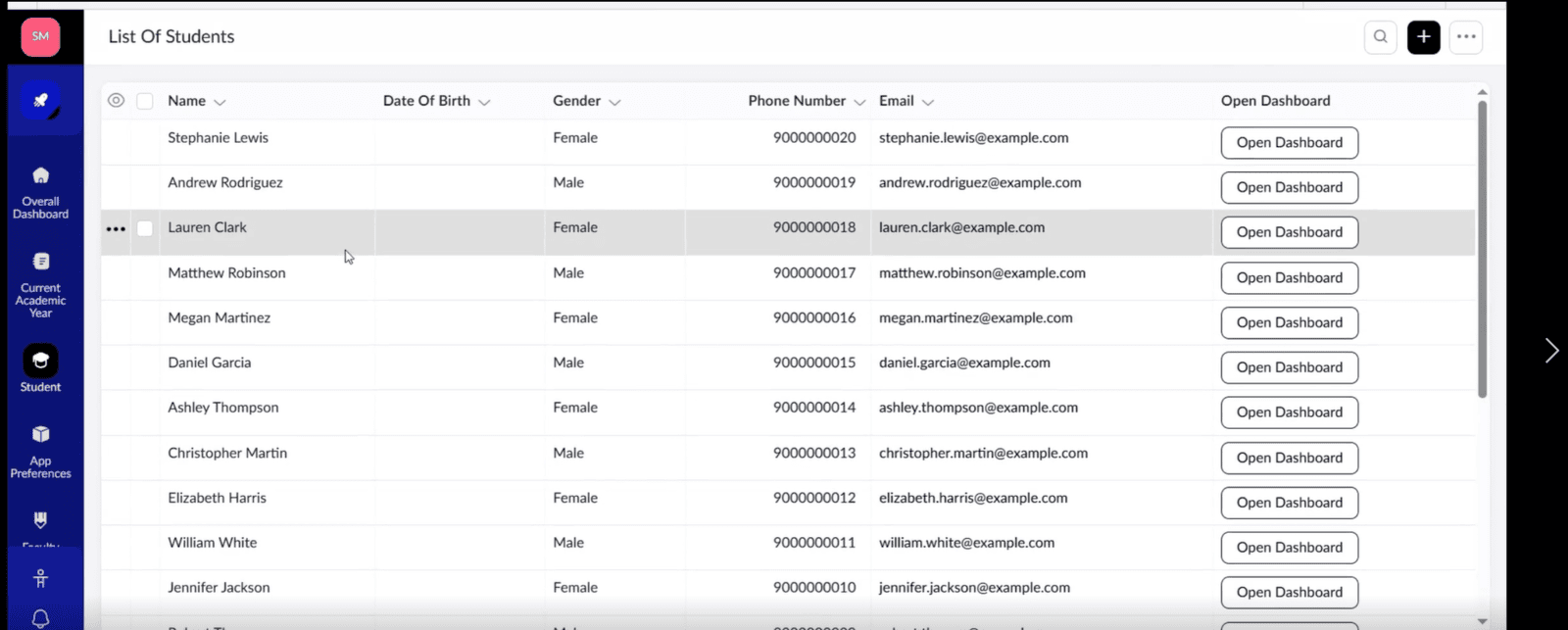
1.6 Verify the imported student records directly in your Zoho Creator report dashboard.
Video Tutorial
| US | +1 707 722 2525 |
| Europe | +45 36 96 49 29 |
| UK | +44 20 3287 0660 |
| Australia | +61 8 8120 0288 |
| India | +91 99628 38338 |

SKYPE
live:hello_19674

GOOGLE HANGOUTS
hello@cubeyogi.com

